Short-Form Video Safe Zones and Aspect Ratio Cheat Sheet (9:16, 4:5, 1:1, 16:9)
 Paper Animator Team
An evergreen reference table of pixel sizes, aspect ratios, and platform UI safe zones for TikTok, Instagram Reels, YouTube Shorts, YouTube widescreen, and feeds.
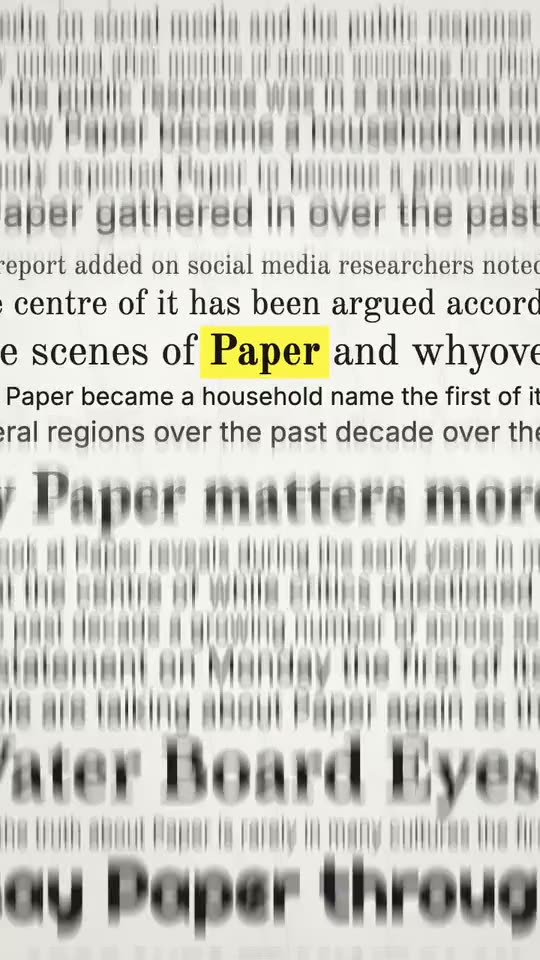
Nothing ruins a crisp paper unfold or highlighted newspaper title faster than uploading it to TikTok or Instagram Reels only to see the caption block, audio ticker, or like button slice straight across your focal word. Every short-form platform overlays buttons, usernames, and descriptions on top of your video—and each platform places those overlays in slightly different spots.
Bookmark this cheat sheet before exporting from Paper Animator or assembling your final timeline so every title, sticker, and Text Match Cut lands squarely in the clear.
Aspect ratios and export resolutions supported in Paper Animator
Paper Animator's studio exports cleanly in four standard aspect ratios at both 720p (free watermarked previews and drafts) and 1080p (clean master exports):
| Aspect Ratio | 720p Size | 1080p Master Size | Primary Platforms & Placements |
|---|---|---|---|
9:16 (Vertical) | 720 × 1280 | 1080 × 1920 | TikTok, Instagram Reels, YouTube Shorts, Snapchat, Stories |
4:5 (Portrait Feed) | 720 × 900 | 1080 × 1350 | Instagram feed posts & carousels, Facebook/Meta feed ads, LinkedIn portrait |
1:1 (Square) | 720 × 720 | 1080 × 1080 | Square social posts, album visuals, newsletter GIFs, product cards |
16:9 (Widescreen) | 1280 × 720 | 1920 × 1080 | YouTube long-form videos, video essays, podcasts, slide decks, X video |
(Note: AI Image Animator preserves your uploaded photo's exact native aspect ratio automatically at 480p, 720p, or 1080p rather than forcing a crop.)
Vertical 9:16 safe zones (1080 × 1920)
If you cross-post the exact same vertical video to TikTok, Instagram Reels, and YouTube Shorts, design for the shared safe rectangle—the middle area that stays unobstructed across all three apps simultaneously:
| Screen Edge (on 1080 × 1920) | Unsafe UI Zone to Keep Clear | What Platforms Place There |
|---|---|---|
| Top margin | Top 220–250 px (~12–13%) | Status bar, "Following / For You" tabs, Reels camera icon, Shorts search bar |
| Bottom margin | Bottom 380–440 px (~20–23%) | Username, video caption, music ticker, progress scrubber, Shop or CTA bar |
| Right edge | Right 140–160 px (~14%) | Profile avatar, Like, Comment, Bookmark, Share, and Audio buttons |
| Left edge | Left 60–80 px (~6%) | Rounded phone bezel curve and minor screen crop on narrower displays |
What that leaves you: a clean central safe canvas of roughly 860 × 1,240 pixels, centered slightly above the true vertical midpoint.
Practical takeaway for Paper Animator clips
- Paper Fold stickers: Keep subjects centered or slightly above center when placing green-screen stickers over talking-head footage—never tuck a sticker into the bottom-right corner where the Like/Share stack lives.
- Text Match Cut & Newspaper Highlight: Because your focal keyword locks cleanly in the center of the frame, it automatically sits right inside the safest visual zone on TikTok, Reels, and Shorts without colliding with captions or buttons.
- Spoken auto-captions: Place lower-third subtitles right above the bottom
440 pxdanger zone (around68%–74%down the screen) so they sit comfortably beneath your central paper clip and safely above the platform caption overlay.
Profile grid crop tip for Instagram Reels (9:16 → 4:5 / 3:4)
Instagram displays Reels at full 9:16 in the Reels tab, yet crops the cover image on your main profile grid to a taller 3:4 (or 4:5 in feed previews). If you use a frame from Paper Fold, Magazine Letters, or Text Match Cut as your Reel cover:
- Keep the headline or sticker comfortably inside the center 1080 × 1350 (4:5) area.
- Never place top-or-bottom cover text near the very top or bottom edges, or it will get sliced in half on your profile grid.
720p vs. 1080p: when does resolution actually matter?
- Use 720p for rapid script timing checks, client moodboards, lightweight email GIFs, and internal drafts.
- Export 1080p for every published YouTube Short, TikTok, Instagram Reel, widescreen YouTube video, and paid social ad. Social platforms re-compress uploads aggressively; starting from a crisp 1080p master keeps torn paper borders, fine serif newsprint, and green-screen edges noticeably sharper after upload compression.
Pre-publish aspect ratio checklist
- Confirm your Paper Animator export ratio matches your editing sequence (
9:16for vertical shorts,16:9for YouTube). - Check that no sticker, keyword, or caption dips into the bottom 23% or right 14% of a 9:16 frame.
- Verify your cover frame looks centered inside a 4:5 profile grid crop.
- Keep both MP4 and PNG exports at 1080p for final uploads.
Ready to export in the exact ratio your channel needs? Jump into the Paper Animator studio or the Text Match Cut Generator and pick your aspect ratio before downloading.
More Creator Guides
All guidesHow to Build 2-Second Crumpled Paper Unfold Hooks for Reels, TikTok, and Shorts
A practical creator playbook for choosing high-contrast source photos, setting torn borders and shadows, and exporting crisp 2-second paper unfold openers.
Documentary Text Match Cut Settings: Word Length, Motion Blur, and Pacing Guide
Learn how to choose anchor keywords, balance frame speed and frame count, and tune vertical or radial blur for readable Vox-style newspaper text match cuts.
Using Magazine Letters for Lyric Intros, Pop-Culture Hooks, and Music Clips
How to turn short phrases into energetic ransom-note magazine cutout animations for lyric teasers, pop-culture recaps, and zine-style title cards.