Animating Podcast Quotes and Commentary Clips with Newspaper Highlight and Tweet Cards
 Paper Animator Team
How podcasters, news commentators, and essayists turn short soundbites into visual stop-motion highlight cards that hold retention on vertical and widescreen feeds.
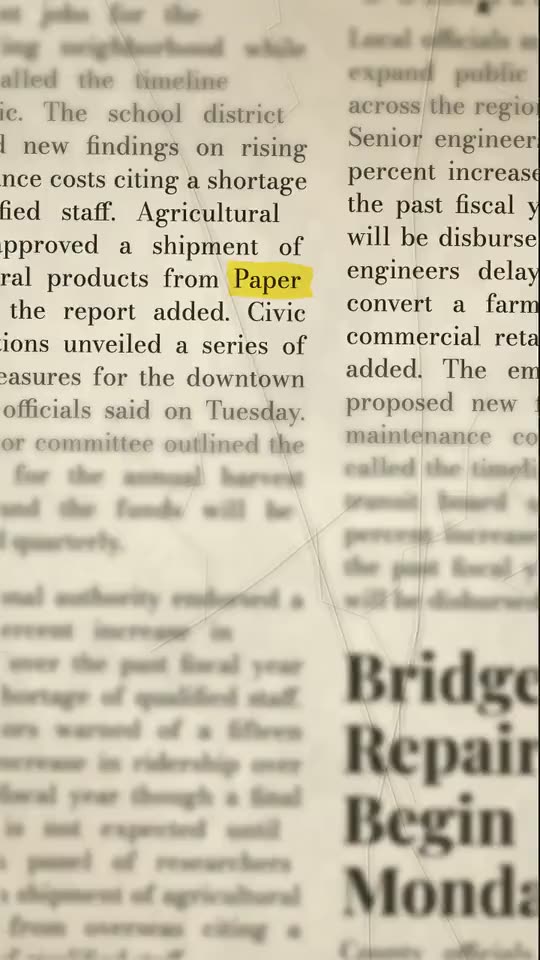
Audio-first creators face a stubborn problem on social video platforms: a brilliant 35-second podcast insight often stalls at low watch time when paired with nothing more than a static mic shot and auto-captions. Adding visual punctuation—quick 1.5-to-2-second stop-motion highlight cards whenever a guest drops a key statistic, headline, or spicy opinion—keeps viewers visually engaged without forcing you to shoot extra B-roll.
Inside the Paper Animator studio, four text templates are purpose-built for spoken commentary: Newspaper Highlight, Tweet Cards, Press Coverage, and Text Match Cut. Picking the right one for each beat gives your episode clips the polish of a broadcast newsroom.
Matching the template to the moment in your script
Not every quote deserves the same visual treatment. Use the type of claim your speaker is making to pick the right template:
| Spoken Moment | Best Template | Why It Fits |
|---|---|---|
| Citing a report, study, or historical fact | Newspaper Highlight | Yellow marker sweep across shifting print clippings feels authoritative |
| Reacting to internet discourse or a viral hot take | Tweet Cards | Familiar social-post framing signals public debate immediately |
| Introducing a major company, person, or scandal | Press Coverage | Bold publication headlines build credibility in under two seconds |
| Hitting the single thesis word of the entire clip | Text Match Cut | Pins one focal keyword while surrounding copy flashes at high energy |
A reliable rhythm for a 45-second podcast clip is three visual beats: one strong opener in the first two seconds, one mid-clip reset around the 18-second mark when the speaker pivots, and one closing takeaway card near the end. Overusing visual cutaways every three seconds can feel chaotic, while placing three well-timed cards keeps retention high and edits fast.
Choosing phrases that fit vertical mobile framing
Podcast hosts speak in complete paragraphs, yet visual cards work best as headlines, not transcripts. Pull only the sharpest 2 to 4 words from the spoken sentence:
- Spoken line: "The wildest part is that eighty percent of founders quit right before month six."
- On-screen card phrase:
80% QUITorMONTH SIX - Spoken line: "Everyone on X was arguing that remote work killed mentorship."
- On-screen card phrase:
REMOTE WORK(in Tweet Cards)
Keeping phrases concise ensures the highlighted text stays large enough to read effortlessly on a phone held at arm's length, even when captions sit near the lower third.
Light vs. dark paper contrast for talking-head footage
Pay attention to the brightness of your studio camera shot before choosing your card tone:
- Warm or brightly lit podcast studios: Standard light newsprint and cream paper cards cut seamlessly against daylight setups without jarring exposure jumps.
- Moody, neon, or dark-backdrop studios: Use Dark theme in Text Match Cut or pair a warm Newspaper Highlight card with a crisp sound transition so the brightness shift feels intentional—like slapping a printed article onto a dark desk.
Placing quote cards cleanly in your timeline
- Let the voice lead by 0.2 seconds (J-cut): Let the speaker begin saying the key phrase while still on camera, then cut to the highlight card right on the stressed syllable. The brain connects the spoken words and visual card instantly.
- Keep audio uncluttered: If your podcast already has two voices talking over light background music, export the highlight card muted or lower the paper-tick audio track by
-12 dBto-16 dBin CapCut or Premiere Pro so it accents the cut without stepping on speech clarity. - Export 9:16 for clips and 16:9 for full episodes: If you publish both a full YouTube video podcast and vertical Shorts/Reels, generate the 16:9 version first for your main episode, then switch the aspect selector to 9:16 for the vertical cut.
Turning one episode into a week of visual assets
Before closing your browser tab after a podcast edit, export one PNG still of your best Newspaper Highlight or Press Coverage card alongside the MP4 video. That single still doubles as a ready-made graphic for:
- Show notes and newsletter headers
- Spotify or Apple Podcasts episode promo posts
- LinkedIn and X quote carousels
Open the Paper Animator studio, test Newspaper Highlight and Tweet Cards with your strongest quote from this week's episode, and drop the 1080p clip straight onto your podcast timeline.
More Creator Guides
All guidesHow to Build 2-Second Crumpled Paper Unfold Hooks for Reels, TikTok, and Shorts
A practical creator playbook for choosing high-contrast source photos, setting torn borders and shadows, and exporting crisp 2-second paper unfold openers.
Documentary Text Match Cut Settings: Word Length, Motion Blur, and Pacing Guide
Learn how to choose anchor keywords, balance frame speed and frame count, and tune vertical or radial blur for readable Vox-style newspaper text match cuts.
Using Magazine Letters for Lyric Intros, Pop-Culture Hooks, and Music Clips
How to turn short phrases into energetic ransom-note magazine cutout animations for lyric teasers, pop-culture recaps, and zine-style title cards.