Turning Product Photos into Torn-Paper Stickers for Storefronts and Social Ads
 Paper Animator Team
Step-by-step workflow for combining Remove BG cutouts with Paper Fold torn borders to create scroll-stopping product stickers for Shopify, Etsy, TikTok Shop, and Instagram.
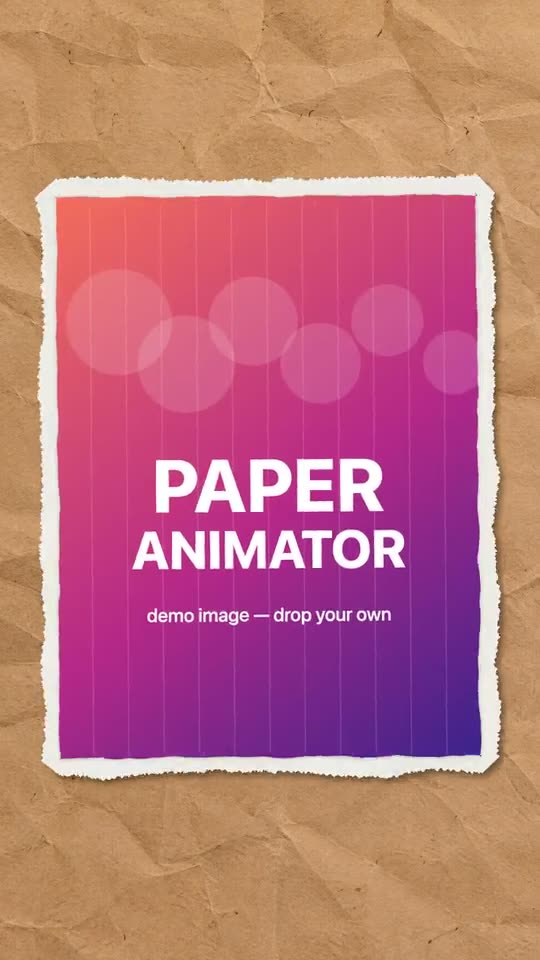
Standard white-background product photos work well on marketplace search grids, yet they often feel sterile in social feeds, email banners, and founder-led product demos. Wrapping a clean product cutout in a tactile torn-paper white border—and optionally unfolding it from a crumpled paper ball—turns an ordinary catalog shot into a warm, editorial visual that feels crafted by a creative studio.
Better yet, you can move from raw product photo to finished transparent sticker PNG or 1080p reveal MP4 in less than two minutes by chaining Remove BG directly into the Paper Fold studio.
Step 1: Start with a crisp, well-lit product image
Even the strongest background remover produces noticeably cleaner stickers when the source image follows three simple rules:
- Even lighting across the edges: Harsh side shadows on a tabletop can blur where the bottom of a bottle, shoe, or gadget ends. Natural window light or a soft bounce card makes the silhouette crisp.
- Color separation from the surface: Photograph a white ceramic mug on a wooden desk or darker mat rather than on a white sheet, and shoot dark matte packaging against a light wall.
- No cropped corners: Leave a small margin around handles, straps, caps, and tags so the torn white border wraps cleanly around the entire item without hitting a flat cut edge.
Step 2: Cut out the product cleanly in Remove BG
Open Remove BG and drop, upload, or paste (Ctrl/Cmd+V) your JPG, PNG, or WebP product photo (up to 10 MB).
- Run Standard first—guests get 1 free trial without signing in, and signed-in accounts receive 1 free Standard cutout every day.
- Toggle the result card's preview backdrops across checkerboard, white, dark ink, and green screen. Checking both light and dark previews immediately exposes any missed fringe along glass rims, textured knitwear, or delicate jewelry chains.
- If your item has fine fur, translucent packaging, or intricate straps, switch to Pro HD (1 purchased credit) for sharper separation. Not sure which tier fits your catalog? Read our Remove BG Standard vs. Pro HD comparison.
- Want to isolate one specific object in a crowded shot without running a cloud AI job? Open the studio directly and use the browser click-to-select cutout option right on the canvas.
Step 3: Send the cutout straight to Paper Fold
Instead of downloading the transparent PNG and re-uploading it somewhere else, click Animate in Paper Fold right on the Remove BG result card. Paper Fold reads the transparent silhouette automatically and wraps a jagged torn-paper white border around the exact outline of your product.
From there, tune three visual controls to match your brand:
- Border thickness: Keep it narrow-to-medium for sleek cosmetics, skincare bottles, and tech gadgets; go wider for streetwear, snacks, stationery, and playful DTC brands.
- Paper backdrop: Choose Kraft for organic, handmade, coffee, or outdoor products; choose Parchment for vintage, beauty, books, and minimalist lifestyle brands; choose Green Screen when layering the animated reveal over a live unboxing clip.
- Drop shadow: A soft offset shadow lifts the product sticker off the page so it reads like real paper resting on a studio desk.
Where e-commerce teams use torn-paper stickers
| Placement | Best Export Format | Recommended Ratio | Creative Tip |
|---|---|---|---|
| TikTok Shop & Reels ad hooks | 1080p MP4 (Kraft or Green Screen) | 9:16 | Unfold the hero SKU during the first 1.5s while stating the core benefit |
| Instagram carousel feature slides | Transparent PNG sticker | 4:5 | Place 2–3 torn-edge product cutouts on one slide with short callout arrows |
| Shopify / Etsy hero & collection banners | Transparent PNG sticker | 16:9 or custom layout | Combine cutouts with subtle hand-drawn labels for seasonal drops |
| Email launch newsletters | Looping GIF or Transparent PNG | 1:1 or 4:5 | Keep GIF file size lean for fast mobile inbox loading |
| Founder unboxing & comparison videos | Green-screen MP4 | 9:16 or 16:9 | Pop each accessory onto screen right as you mention it on camera |
Consistency tips for multi-SKU campaigns
If you are showcasing five products in one launch reel or carousel, consistency makes the whole brand look intentional:
- Lock one backdrop and border weight across every SKU in the campaign so all stickers feel cut from the same sheet of paper.
- Match sticker scale visually across items (a lipstick tube and a tote bag should sit comfortably within similar visual margins inside the frame).
- Reuse your unlocked project: Remember that once a Paper Fold project is unlocked with 1 credit (or covered by the Unlimited plan), you can download both the 1080p MP4 reveal and the matching static transparent PNG sticker from that exact project without spending a second credit.
Give your next product launch a tactile edge: upload a single SKU to Remove BG, verify the edges over dark and light backdrops, and click straight into Paper Fold.
More Creator Guides
All guidesHow to Build 2-Second Crumpled Paper Unfold Hooks for Reels, TikTok, and Shorts
A practical creator playbook for choosing high-contrast source photos, setting torn borders and shadows, and exporting crisp 2-second paper unfold openers.
Documentary Text Match Cut Settings: Word Length, Motion Blur, and Pacing Guide
Learn how to choose anchor keywords, balance frame speed and frame count, and tune vertical or radial blur for readable Vox-style newspaper text match cuts.
Using Magazine Letters for Lyric Intros, Pop-Culture Hooks, and Music Clips
How to turn short phrases into energetic ransom-note magazine cutout animations for lyric teasers, pop-culture recaps, and zine-style title cards.